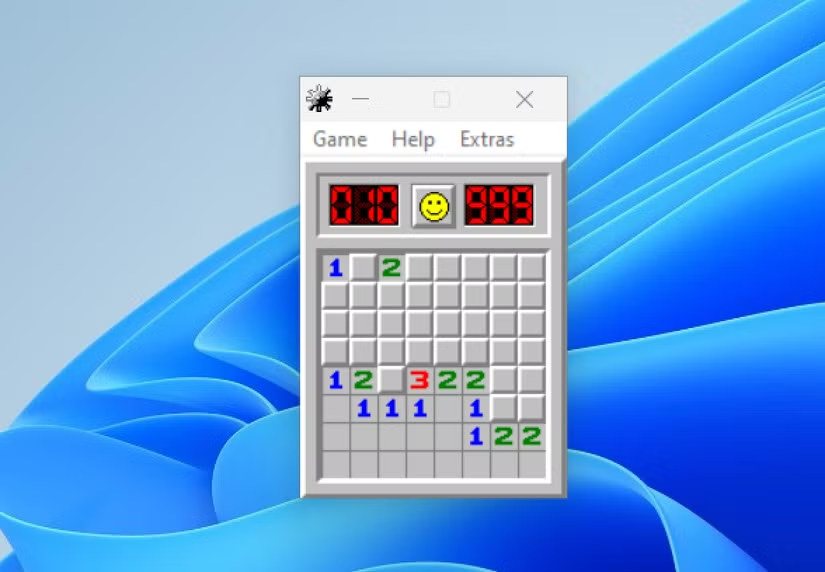
Microsoft Minesweeper Online: Easy Rules, Tips, and Winning Strategies
Introduction
Looking for a fun puzzle that challenges your thinking skills? Microsoft Minesweeper online is a classic game where you uncover safe squares without triggering hidden mines. Every move requires attention, careful planning, and smart decisions. You must study numbers and recognize patterns to make progress.
The game welcomes beginners and experienced puzzle fans. You can learn the basic rules quickly and improve through regular practice. Each round offers a different challenge, keeping the experience interesting. You can enjoy a quick game during a break or spend more time mastering difficult puzzles.
This guide explains how Microsoft Minesweeper online works, how to understand numbered squares, and how to avoid common mistakes. You will also discover useful strategies, device options, and answers to frequently asked questions. These simple tips can help you enjoy the game with greater confidence.
What Is Microsoft Minesweeper Online?
Microsoft Minesweeper online is a digital version of the popular mine-finding puzzle. The board contains covered squares, and some hide dangerous mines. Your goal is to uncover every safe square without opening a mine.
When you reveal a square, it may show a number or an empty space. Numbers tell you how many mines touch that square. You use these clues to identify dangerous locations and find safe moves.
The game combines logic, observation, and decision-making. You do not need advanced mathematics to enjoy it. Patience and careful thinking help you understand the board. Every new round provides another opportunity to practise your puzzle-solving skills.
How to Access Microsoft Minesweeper Online
You can search for Microsoft Minesweeper online through Microsoft’s official website or the Microsoft Store. Availability depends on your device, browser, and region. Some versions work in a browser, while others require an application.
Before playing, check that you are using a trusted website or application. Search results may include unofficial games with different features and advertisements. A familiar Microsoft name does not automatically mean every website is official.
Once you find a suitable version, choose an easy difficulty if available. Read the instructions and learn the controls before starting. A few beginner rounds can help you understand the rules before attempting harder puzzles.
How to Play Microsoft Minesweeper Online
The main objective is to reveal all safe squares without opening a mine. Begin by clicking a covered square. Some versions protect your first move, but this feature is not universal.
After your first click, study the numbers that appear. Each number shows how many mines touch that square, including diagonal neighbors. For example, a square marked 2 touches exactly two mines among its eight surrounding positions.
Use these clues to decide which squares you can safely open. You can also mark suspected mines with flags when your version supports this feature. Flags help you remember dangerous locations, but they do not make nearby squares safe automatically.
Take your time before opening another square. Careful decisions can reveal useful information and help you solve the puzzle. With practice, you will recognize common patterns more quickly.
Understanding Numbers in the Game
Numbers provide the most important clues in Microsoft Minesweeper online. A 1 means one neighboring square contains a mine. A 2 means two neighboring squares contain mines. Higher numbers follow the same rule.
Imagine a 1 next to only one covered square. If every other neighboring square is revealed, that covered square must contain a mine. You can mark it with a flag.
Now imagine a 1 touching one correctly flagged mine. If the flag is correct, the other neighboring covered squares are safe to reveal. This method helps you make decisions using evidence instead of guessing.
Remember that diagonal squares also count. Missing a diagonal neighbor can lead to an incorrect decision. Always examine all eight surrounding positions whenever possible.
Choosing the Right Difficulty Level
Beginners should choose an easy board whenever possible. Smaller boards contain fewer squares and usually fewer mines. This makes it easier to understand the rules without feeling overwhelmed.
Medium difficulty provides a useful next step. The board becomes larger, and you must connect clues across more squares. It encourages stronger planning and better pattern recognition.
Hard difficulty suits players who already understand the basic strategies. Larger boards and more mines can create complicated situations. You may need to compare several numbers before choosing your next move.
There is no need to rush through these levels. Spend enough time understanding your mistakes. The goal is to improve your reasoning, not simply finish a round quickly.
Useful Strategies for Beginners
A good strategy begins with observation. After revealing a square, examine every nearby number before making another move. One clue may help explain several squares at once.
Look for numbers with very few covered neighbors. These often provide the clearest information. If a number already touches the exact number of confirmed mines it requires, its remaining covered neighbors may be safe.
Avoid placing flags without a reason. A mistaken flag can confuse later decisions and lead to an incorrect move. Only mark a mine when the visible clues support your choice.
It also helps to work in small sections. Solve one area before moving to another. If you become stuck, review the numbers and flags you already have. A missed clue may reveal a safe path forward.
Common Minesweeper Patterns
Recognizing common patterns can make solving puzzles easier. Some number arrangements appear regularly and provide useful clues. Learning them helps you make decisions more confidently.
For example, a row of 1-2-1 numbers along an edge can sometimes reveal mine positions. The exact conclusion depends on which neighboring squares remain covered. Always check the full arrangement before applying a familiar pattern.
Another helpful situation occurs when a number equals its remaining covered neighbors. If a 2 touches exactly two covered squares, both must contain mines. This rule applies when no other neighboring squares remain hidden.
Practise these patterns slowly. Understanding why a move is safe matters more than memorizing a sequence. Logical thinking will help you adapt when the board changes.
How Flags Help You Avoid Mines
Flags are visual reminders that a square probably contains a mine. In many desktop versions, you can place a flag by right-clicking a covered square. Touchscreen controls may work differently.
Use flags when the evidence is clear. For example, if a number 1 touches just one covered square, that square must contain a mine. Marking it helps you avoid clicking it later.
However, a flag is only your own marker. It does not prove the square contains a mine or change the board. If you place a flag incorrectly, nearby clues can become harder to interpret.
Some versions allow you to remove flags. Review your markings whenever new information appears. Keeping your board organized can prevent mistakes and support better decisions.
Common Mistakes to Avoid
One common mistake is clicking too quickly. A covered square may look safe, but nearby numbers could suggest otherwise. Pause and review the available clues before taking action.
Another mistake is treating diagonal squares as unimportant. Microsoft Minesweeper online counts diagonal neighbors as well as squares directly above, below, and beside a number. Forgetting this rule can lead to incorrect conclusions.
Players sometimes assume that a flag makes surrounding squares safe. It does not. You must use numbered clues to confirm whether neighboring squares can be opened.
Finally, avoid guessing when useful information remains available. Check other parts of the board first. Some puzzles eventually require a guess, but careful reasoning can reduce that need.
How to Improve Your Minesweeper Skills
Regular practice can help you recognize patterns and compare clues more effectively. Start with easy boards and focus on understanding each decision. Explain to yourself why a square is safe before clicking it.
You can also review mistakes after losing a round. Ask whether you missed a number, misunderstood a flag, or chose a square without enough evidence. This turns a frustrating result into a useful lesson.
Microsoft Minesweeper online offers changing boards that keep the experience interesting. Set small goals, such as completing an easy board without mistakes. Gradually increase the difficulty as your confidence improves.
Remember that improvement takes time. Focus on learning instead of winning every round. Patient practice makes the game more enjoyable.
Benefits of Playing Minesweeper
Microsoft Minesweeper Online encourages logical thinking because every move depends on clues. You compare numbers, identify possibilities, and rule out unsafe choices. These activities provide a simple way to practise structured problem-solving.
The game also rewards attention to detail. Missing one neighboring square can change your understanding of a clue. Slowing down and checking the board helps you make more careful decisions.
Another benefit is convenience. A short puzzle can fit into a break without requiring a long commitment. You can stop after a round and return later.
However, Microsoft Minesweeper online is entertainment, not a guaranteed way to improve intelligence. Enjoy it as a challenging puzzle. The main goal is to have fun while learning to make better decisions.
Playing on Computers and Mobile Devices
The controls depend on the version you use. On many desktop versions, the left mouse button reveals a square, while the right button places or removes a flag. Some versions offer additional controls.
On phones and tablets, tapping usually reveals squares. Flagging may require a long press, a special button, or an on-screen control. Check the instructions for your specific version.
A larger screen can make it easier to compare numbers across the board. Mobile devices offer more flexibility because you can play during a free moment. Both options can work well for casual puzzle sessions.
If the game does not load, check your internet connection and browser settings. You can also try another supported browser or an official app, if available for your device.
Is Microsoft Minesweeper Online Free?
The cost depends on the version and platform. Some browser-based Minesweeper games are free to play. Official app features, advertisements, or optional purchases may vary by release and region.
Before installing an app, review its publisher, description, permissions, and pricing information. Avoid websites that ask for unnecessary personal details just to start a basic puzzle.
If you want a simple experience, choose a version with clear rules and controls. You do not need paid extras to learn the core logic of Microsoft Minesweeper online. The basic challenge is understanding clues and opening safe squares.
Complete Game Details Table
The following table summarizes the main details of Microsoft Minesweeper online. It describes the general puzzle experience rather than one specific app release. Features, controls, and difficulty settings can vary between versions.
| Detail | Information |
|---|---|
| Game name | Microsoft Minesweeper online |
| Game type | Logic and puzzle game |
| Main objective | Reveal all safe squares |
| Main danger | Hidden mines |
| Key clues | Numbers on revealed squares |
| Common controls | Click, tap, and flag |
| Difficulty | Easy, medium, and hard, where available |
| Skills used | Logic, observation, and planning |
| Playing devices | Compatible computers, phones, and tablets |
| Internet requirement | Depends on the version |
| Cost | Depends on the platform and version |
| Suitable for | Casual players and puzzle fans |
This table provides a general overview, not an official specification sheet. Check the selected version for exact features, system requirements, and pricing. This helps you know what to expect before playing.
Conclusion: Microsoft Minesweeper online
Microsoft Minesweeper online remains an enjoyable choice for anyone who likes simple games with thoughtful challenges. Its rules are easy to learn, but each board asks you to pay attention and use logic.
Start with an easy difficulty, study the numbers, and place flags only when you have enough evidence. Learn common patterns and review your mistakes instead of rushing through every move. These habits can make each new round easier to understand.
Choose a trusted version that works on your device and enjoy the puzzle at your own pace. Have you discovered a Microsoft Minesweeper Online strategy that works well for you? Share your favorite tip with other puzzle fans.
FAQs: Microsoft Minesweeper online
1. What is Microsoft Minesweeper online?
Microsoft Minesweeper online is a digital puzzle in which you uncover safe squares while avoiding hidden mines. Numbers show how many mines touch each revealed square. You use these clues to decide where to click next.
2. How do I play Minesweeper for beginners?
Start with an easy board and reveal a square. Study the numbers around it to identify possible mines. Use flags to mark confirmed mine locations when supported. Continue opening safe squares until you complete the board.
3. Can I play Microsoft Minesweeper online for free?
Some versions are free, but availability and costs depend on the platform. Check the official Microsoft website or Microsoft Store for current options. Review advertisements or optional purchases before choosing a version.
4. What do the numbers mean in Minesweeper?
Each number shows how many mines are present in the eight surrounding squares. A 1 means one neighboring square contains a mine. A 3 means three neighboring squares contain mines.
5. Can I play Minesweeper on my phone?
Yes, if you choose a compatible mobile version. Most mobile games use taps to reveal squares. Flagging methods vary, so check the on-screen instructions before starting.
6. Is it possible to win every Minesweeper game?
Not always. Some board positions may require a guess when the available clues cannot identify a safe move. Good strategies can reduce unnecessary guesses, but they cannot guarantee a win on every board.